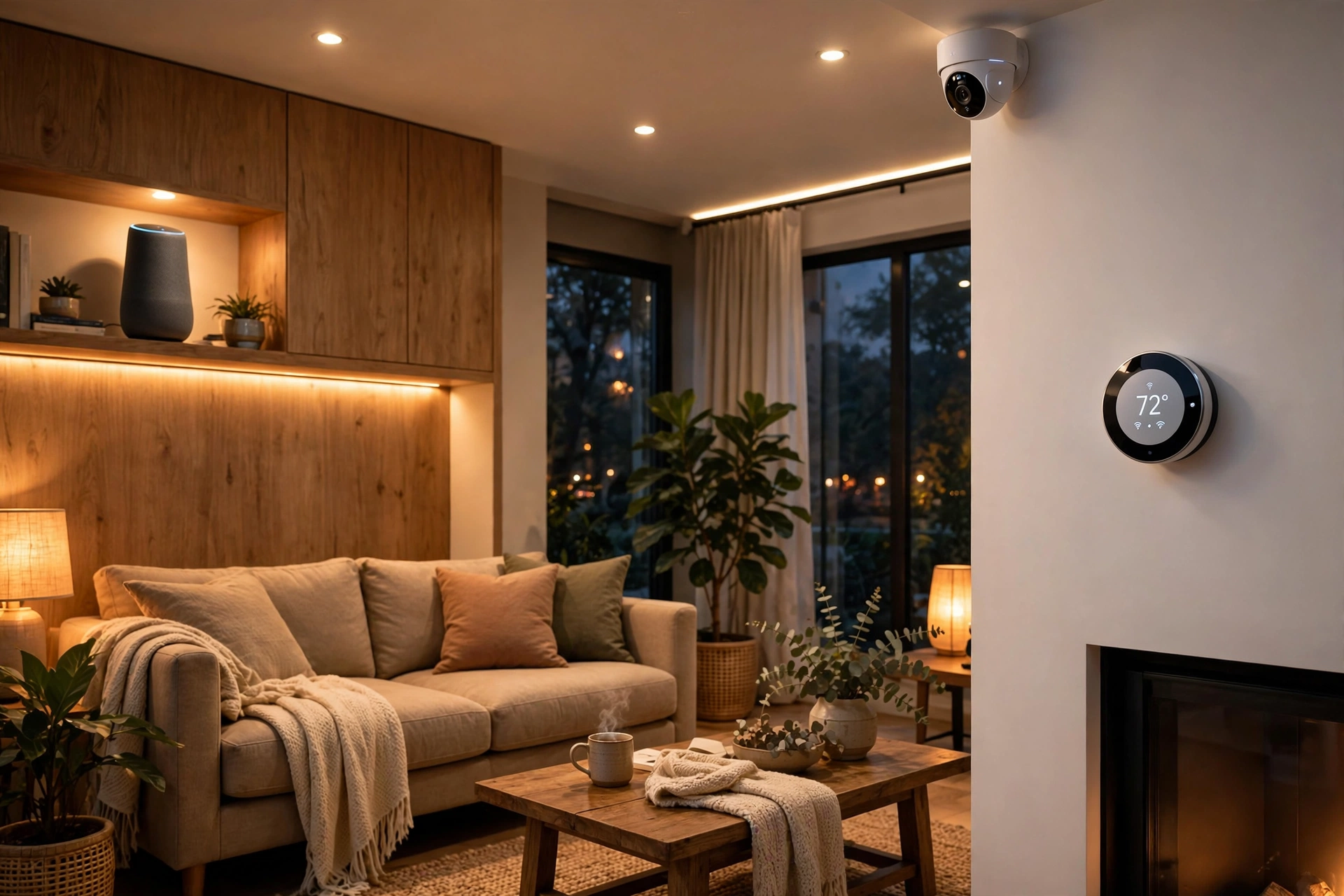
Quick Answer: The 3 Best Smart Home Gadgets in 2026
Looking for the best smart home gadgets without subscription traps? Our top three picks for 2026:
- Best starter gadget: Amazon Echo Dot (5th Gen) (~$23–50) — the cheapest way to add voice control to anything.
- Best security camera without a subscription: Eufy Video Doorbell E340 (~$130–200) — local storage, no monthly fee required.
- Best smart thermostat: Google Nest Learning Thermostat (~$130) — the highest-ROI smart home gadget, no subscription needed.
Prices checked October 12, 2026. Rankings based on manufacturer specifications, published 2026 reviews, and verified owner feedback — not lab testing.
Why Most Smart Home Setups Fail (And How to Avoid It)
If you’re reading a guide to the best smart home gadgets, there’s a good chance something already went wrong. You bought a camera that demands $5 a month to show you who rang the bell. Your “smart” bulbs each need their own app. Your thermostat only talks to half your house. None of this is your fault — the smart home industry is built on fragmentation, and beginners walk into every trap in order.
This guide exists to solve the actual problem: what should you buy so everything works together — without surprise subscriptions and without three incompatible gadgets collecting dust?
We’ll give you the one rule that prevents 90% of mistakes, expose the subscription trap with real 5-year cost math, show you what order to buy in, decode the protocol alphabet soup in plain English, and then review 12 genuinely good devices — each with its honest catch. No lab-testing theater. Everything here is based on manufacturer specifications, published 2026 reviews, and verified owner feedback.
Prices checked October 12, 2026 — smart home prices swing hard on sales like Prime Day and Black Friday, so verify before buying.
The #1 Rule: Pick Your Ecosystem Before Your Devices

Here is the single decision that matters more than any product pick in this article:
Choose your ecosystem — Alexa, Google Home, or Apple HomeKit — BEFORE you buy a single device. Everything else flows from this choice. The #1 beginner mistake, reported across every smart home forum, is buying a random mix: one Alexa bulb, one Google-only thermostat, one app-locked camera — then living with three apps and automations that never trigger.
Which ecosystem should you pick?
Alexa household → Echo-first devices. Alexa remains the most compatible voice platform in 2026, with the widest third-party device support. If you have Amazon speakers, Fire TV, or just want the most choice, this is the path of least resistance.
Google/Nest household → Google Home-first. If your family runs on Android, Gmail, and Google Calendar, the Nest Learning Thermostat and Google speakers integrate deeply. Catch: Google’s ecosystem lock-in means some features live in Google’s apps, not the device manufacturer’s.
iPhone/Apple TV household → HomeKit/Matter devices. Apple households should lean on Matter-certified and HomeKit devices (Aqara, Eve, Schlage with HomeKey support). HomeKit is the most private of the three, but has the smallest device selection — Matter is slowly closing that gap.
Tinkerer → Home Assistant + Zigbee/Z-Wave. The most powerful and most private option, and also the most setup work. If “flash the firmware” sounds like fun, you don’t need this guide’s permission — go build. Everyone else: pick one of the three above and stay in it.
The test before buying any gadget: check the box (or the listing) for your ecosystem’s logo. If it doesn’t explicitly support your platform, don’t assume it will — “works with” claims without certification are where setups go to die.
The Subscription Trap: The $300 Hidden Cost

This is the trap the industry doesn’t want in the headlines. A doorbell camera that costs $150 at checkout is not a $150 device if it demands a subscription to do its job. Ring Protect Basic, for example, is $4.99/month ($60/year) — over five years, that’s $300 in subscription fees on top of a ~$150 device. Your $150 camera actually costs $450.
Every review on this page gets a true 5-year cost: device price plus subscription fees × 60 months, “as of October 2026.” Here’s the comparison that matters:
True 5-Year Cost Table (Device + Subscriptions)
| Device | Device price | Subscription needed? | 5-yr sub cost | True 5-yr cost |
|---|---|---|---|---|
| Eufy Video Doorbell E340 | ~$130–200 | No — local storage | $0 | ~$130–200 |
| Wyze Cam v3/v4 | ~$25–36 | Optional (person detection needs Cam Plus) | $0–~$180 | ~$25–216 |
| TP-Link Tapo C120 | ~$30–50 | No — on-device AI + local storage | $0 | ~$30–50 |
| Google Nest Learning Thermostat | ~$130 | No | $0 | ~$130 |
| Ecobee Smart Thermostat Premium | ~$200–250 | No | $0 | ~$200–250 |
| TP-Link Kasa EP25 Smart Plug | ~$15–40 | No | $0 | ~$15–40 |
| Wyze Bulb Color | ~$15–20/bulb | No | $0 | ~$15–20/bulb |
| Philips Hue Starter Kit | ~$80–219 | No | $0 | ~$80–219 |
| Amazon Echo Dot (5th Gen) | ~$23–50 | No | $0 | ~$23–50 |
| Level Lock Pro / Schlage Encode Plus | ~$200–330 | No | $0 | ~$200–330 |
| Roborock Saros 10 / Qrevo | ~$600–1,400 | No | $0 | ~$600–1,400 |
| Aqara FP400 / motion sensors | ~$20–60 | No | $0 | ~$20–60 |
The lesson is stark: cameras and doorbells are where subscription traps live. Always check the subscription column before buying any camera. Plugs, bulbs, thermostats, locks, vacuums, and sensors on this list need no monthly fee — but that doesn’t stop some brands from charging one, so verify at checkout.
Subscription trap detection — the categories that hide fees:
- Cameras and doorbells: ALWAYS check. Cloud recording plans are the industry’s favorite recurring revenue. Prefer local storage (Eufy, Tapo) or on-device AI.
- Smart plugs, bulbs, thermostats, locks: usually safe — if a brand asks for a subscription here, walk away.
- The Wyze catch: Wyze cameras are cheap, but person detection — the feature that separates a person from a passing car — requires a paid plan. Without it, you get motion-only alerts. That’s fine for a garage; frustrating for a front door.
Buy in Stages: Hub → Power → Sensors
Don’t buy everything at once. Smart home veterans across Reddit’s r/smarthome give the same advice: buy in stages, in this order. It keeps mistakes cheap and teaches you what you actually want to automate.
Stage 1 — Hub/voice control. One Echo Dot or Nest Mini (~$23–50). This is your remote control for everything else. Buy this first; everything you add later talks through it.
Stage 2 — Power. Smart plugs are the consensus first automation purchase: no rewiring, they work with dumb lamps and fans, and energy-monitoring models expose vampire power draw. A Kasa 2-pack is ~$30. (We covered energy-monitoring plugs in depth in our best smart plugs with energy monitoring guide.)
Stage 3 — Sensors. Only now add motion and contact sensors — because now you know what you want to automate (“turn on the hallway light when I walk in at night”). Sensors before a plan are how you end up with a drawer of unused hardware.
Thermostat and lighting upgrades slot into Stage 2–3 depending on your home. The splurge items — robot vacuum, smart lock — come last, when the foundation is solid.
Matter, Thread, Zigbee, Wi-Fi: The 60-Second Decoder
Protocol confusion is the #1 technical fear in smart home forums. Here’s all you need to know:
- Wi-Fi: the default. Every device connects directly to your router. Simple — until you have 30 devices fighting for bandwidth. Don’t put dozens of Wi-Fi bulbs on a cheap router; that’s how automations get laggy.
- Zigbee: a low-power mesh protocol. Devices relay each other’s signals, so it scales to dozens of gadgets without touching your Wi-Fi. Zigbee 3.0 is the safest choice for cheap sensors and bulbs — but you usually need a hub.
- Thread: the newer mesh protocol, built for the modern era. Think of it as Zigbee’s faster, more reliable successor. It’s the network layer Matter runs on.
- Matter: the industry-standard language that lets devices from different brands talk to each other. When a gadget says “Matter-certified,” it means it should work with Alexa, Google Home, and Apple HomeKit alike. In 2026 it’s growing fast but not yet universal — still verify per device.
The practical rule: for plugs and bulbs, Wi-Fi is fine in small numbers; for sensors and larger setups, prefer Zigbee or Matter-over-Thread so your router doesn’t choke.
Starter Kits: $50, $100, and $200 — Exact Shopping Lists
The $50 Starter Kit (voice + power)
- Amazon Echo Dot (5th Gen) — ~$23–50 (on sale: ~$23)
- TP-Link Kasa EP25 Smart Plug 2-pack — ~$30
Total: ~$50–80. You can now say “Alexa, turn off the living room lamp” and automate one outlet on a schedule. This is the kit that converts skeptics.
The $100 Kit (add light + awareness)
- Everything in the $50 kit
- Wyze Bulb Color 2-pack — ~$30–40
- Aqara motion sensor — ~$20–30
Total: ~$100–150. Lights that follow your schedule, a sensor that turns the hallway light on at night. Real automation begins here.
The $200 Whole-Home Tier
- Everything in the $100 kit
- Google Nest Learning Thermostat — ~$130 (or keep it simple: a second room of Hue bulbs, ~$80)
Total: ~$200–280. Climate control that pays for itself in energy savings, or pro-grade lighting for a whole room.
The 12 Best Smart Home Gadgets in 2026
Every pick below includes: who it’s for, the honest catch, ecosystem/protocol, whether it needs a subscription, and whether it works when the internet goes down. Prices checked October 12, 2026.
1. Amazon Echo Dot (5th Gen) — Best Starter Gadget
Price: ~$23–50 | Ecosystem: Alexa | Subscription: No | Local control: Cloud-dependent for voice
Who it’s for: everyone starting out. The cheapest way to add voice control and a hub-like center to any room. It’s the Stage 1 purchase this whole guide is built around.
The honest catch: the price swings wildly — $50 one week, $23 on sale the next. Never pay full price. And outside the Alexa ecosystem, it’s just a small speaker; voice features die if your internet drops.
2. TP-Link Kasa EP25 Smart Plug — Best First Automation

Price: ~$15–40 (4-packs run ~30% cheaper per unit) | Ecosystem: Alexa/Google, Wi-Fi (Matter models exist) | Subscription: No | Local control: Schedules can run on-device
Who it’s for: anyone at Stage 2. Turn dumb lamps, fans, and coffee makers smart with zero rewiring. Energy-monitoring models expose exactly what’s drawing power overnight.
The honest catch: each Wi-Fi plug eats a router slot, so don’t deploy twenty on a cheap router. If you want our full deep-dive on energy monitoring, plug safety, and 15 tested-style picks, read our best smart plugs with energy monitoring in 2026 guide.
3. Wyze Bulb Color — Best Budget Smart Bulb
Price: ~$15–20/bulb | Ecosystem: Alexa/Google, Wi-Fi | Subscription: No | Local control: No (cloud-dependent)
Who it’s for: renters and budget builders who want color scenes without the Hue price tag.
The honest catch: the Wi-Fi router trap — a dozen of these plus plugs and cameras on one cheap router will slow everything. Keep Wi-Fi bulb counts modest or go Zigbee (see #4).
4. Philips Hue White & Color Starter Kit — Best Premium Lighting

Price: ~$80–219 (kit with Bridge) | Ecosystem: Hue Bridge + Alexa/Google/Apple | Subscription: No | Local control: Yes, via Bridge
Who it’s for: anyone serious about lighting. The gold standard: reliable, works with all three ecosystems, automations run locally through the Bridge even if the internet drops.
The honest catch: the premium price and the Bridge — full features usually require it. But the Bridge is exactly why Hue doesn’t choke your router like Wi-Fi bulbs do.
5. Eufy Video Doorbell E340 — Best Doorbell Without a Subscription
Price: ~$130–200 | Ecosystem: HomeBase + Alexa/Google | Subscription: No — local storage | Local control: Yes, footage stays on HomeBase
Who it’s for: anyone who wants a video doorbell without a $60/year cloud tax. Footage records locally to the HomeBase, so the true 5-year cost is just the device price.
The honest catch: the HomeBase is required for local storage — check the exact model in the listing. And it’s a Eufy-ecosystem device, not a Matter gadget.
6. Wyze Cam v3/v4 — Best Budget Camera
Price: ~$25–36 | Ecosystem: Wyze app + Alexa/Google | Subscription: Optional (person detection needs Cam Plus) | Local control: microSD local recording
Who it’s for: garages, back doors, and indoor rooms where a $30 camera with local microSD storage is plenty.
The honest catch: the classic Wyze trade-off — person detection needs the paid plan. Without it you get motion-only alerts (every passing car pings you). Fine for some spots, maddening for a front door. Budget the plan or buy the Eufy/Tapo instead.
7. TP-Link Tapo C460 / C120 — Best Camera With On-Device AI
Price: ~$30–50 | Ecosystem: Tapo app + Alexa/Google | Subscription: No — on-device AI + local storage | Local control: Yes
Who it’s for: buyers who want smart detection without a monthly fee. On-device AI means person/vehicle alerts work with zero subscription, and footage stays local.
The honest catch: Tapo is a newer camera ecosystem than Wyze or Ring — check recent app-store reviews before committing to a house full of them.
8. Google Nest Learning Thermostat — Best Smart Thermostat

Price: ~$130 | Ecosystem: Google Home | Subscription: No | Local control: Basic heating/cooling works offline
Who it’s for: homeowners and long-term renters. The highest-ROI smart home gadget: it learns your schedule and typically pays for itself in energy savings. No subscription, ever.
The honest catch: Google-ecosystem lock-in — some features and history live in Google’s apps, not the device’s. And check your HVAC wiring compatibility (C-wire) before buying; most homes are fine, but verify.
9. Ecobee Smart Thermostat Premium — Best Thermostat for All Three Ecosystems
Price: ~$200–250 | Ecosystem: Alexa/Google/Apple | Subscription: No | Local control: Basic functions offline
Who it’s for: multi-ecosystem households and larger homes — included room sensors fix the “upstairs is freezing” problem, and it plays nice with Alexa, Google, and HomeKit alike.
The honest catch: the premium price, and extra room sensors add cost. If you’re all-in on Google, the Nest (#8) gives you most of this for ~$130.
10. Level Lock Pro / Schlage Encode Plus — Best Smart Lock
Price: ~$200–330 | Ecosystem: Apple HomeKey (Schlage) / multi-platform (Level) | Subscription: No | Local control: Yes — locks work offline
Who it’s for: anyone tired of keys. Keyless entry, guest codes for visitors, auto-lock when you leave. The Schlage Encode Plus supports Apple HomeKey — tap your iPhone or Apple Watch to unlock.
The honest catch: pricey, and check door compatibility before buying — deadbolt size, door thickness, and backset all matter. Measure twice.
11. Roborock Saros 10 / Qrevo — Best Splurge (Robot Vacuum + Mop)
Price: ~$600–1,400 | Ecosystem: Roborock app + Alexa/Google voice | Subscription: No | Local control: Scheduled cleans run on-device
Who it’s for: the “save up” pick. Roborock’s flagship vacuums mop, self-empty, and navigate around obstacles instead of eating your cables. Owners consistently report it as the gadget they use most.
The honest catch: the price — this is a luxury, not a starter item. Buy the foundation (stages 1–3) first, then save for this one.
12. Aqara FP400 / Motion Sensors — Best Automation Triggers
Price: ~$20–60 | Ecosystem: Matter, Aqara hub | Subscription: No | Local control: Yes, via hub
Who it’s for: Stage 3 builders. Presence and motion sensors are what turn a collection of gadgets into an actual smart home: lights that follow you, rooms that know they’re empty.
The honest catch: placement matters — a badly aimed motion sensor is worse than none. And Zigbee sensors need mains-powered Zigbee devices nearby to relay their signals (the mesh needs repeaters).
Renters vs Homeowners: What Changes
Renters: you need no-drill, no-rewire picks. Smart plugs (#2), Wyze bulbs (#3), battery-powered cameras (#7), and a thermostat — only if your landlord approves. Everything here comes with you when you move. Skip the smart lock unless you get written permission (and keep the original lock to reinstall).
Homeowners: you can go deeper — wired video doorbells (#5), the Nest or Ecobee thermostat (#8, #9), and a smart lock (#10) that stays with the house. The 5-year cost math matters more for you, since you’re buying for the long term.
Privacy Checklist: Keep Your Home Yours
- Prefer local storage for cameras. Eufy (#5) and Tapo (#7) keep footage in your home. Cloud footage is footage someone else’s servers hold.
- Use the mic mute button. Every smart speaker (#1) has a physical microphone mute — use it when you’re not actively commanding the house.
- Turn off voice-recording retention. In the Alexa and Google Home apps, set voice recordings to auto-delete (or not be saved at all).
- Put IoT gadgets on a guest network. If your router supports it, isolate smart home devices from your computers and phones. One compromised bulb shouldn’t reach your laptop.
- Buy certified mains devices. For anything that plugs into wall power, look for UL, ETL, or CE certification. White-label no-name mains devices are a safety gamble — this is the one place cheap is not OK.
First-Week Setup Checklist
- Name devices well from day one. “Living Room Lamp” beats “Kasa Plug 3.” Good names are what make voice control actually work.
- Update firmware on everything before building automations — half of “broken” gadgets are just outdated.
- Build 3 simple routines first: a goodnight routine (all lights off, doors locked), a morning routine, and one motion-triggered light. Master these before adding complexity.
- Test automations at the time they’ll run. A “sunset” routine tested at noon tells you nothing.
- Set up the guest Wi-Fi network and move IoT devices onto it (see privacy checklist).
- Write down what each automation does. Future you, debugging at 11pm, will be grateful.
- Live with it for two weeks before buying more. The gadgets you reach for daily earn their place; the rest were guesses.
Frequently Asked Questions
Which ecosystem should I pick — Alexa, Google, or Apple?
Pick the one you already live in: Alexa for the widest device support, Google Home for Android/Google households, Apple HomeKit for iPhone households (with Matter filling the gaps). The critical part is picking ONE before buying devices — mixing ecosystems is the #1 beginner mistake.
Do I need a hub in 2026, or is Matter enough?
For a starter setup (speaker + plugs + bulbs), no hub needed. Once you add Zigbee sensors or want local control that survives internet outages, a hub (Hue Bridge, Aqara hub, or Echo with built-in hub) becomes worth it. Matter is growing fast but isn’t universal yet — verify per device.
Why does my camera need a subscription?
Cloud video storage costs money, and some brands pass it to you monthly. The fix is local storage: Eufy and Tapo cameras record to a HomeBase or microSD with no fee. Always check the subscription column before buying any camera — see our 5-year true-cost table above.
What’s the first smart home device I should buy?
A smart speaker (Echo Dot, ~$23–50) first, then smart plugs. Plugs are the consensus first automation: no rewiring, they work with dumb lamps, and energy-monitoring models show what’s wasting power.
Smart plug vs smart bulb — which first?
Plugs. They control anything you plug into them, need no fixture changes, and renters can take them along. Bulbs come second, once you want color scenes or dimming a plug can’t do.
Can I build a smart home on a budget?
Yes — our $50 starter kit (Echo Dot + 2 smart plugs) is genuinely useful, and $100 adds color lighting plus a motion sensor. Start small and buy in stages: hub/voice → power → sensors.
Will my devices work if the internet goes out?
Depends on the device. Hub-based systems (Hue via Bridge, Zigbee sensors, Z-Wave locks) keep working locally. Cloud-dependent gadgets — most Wi-Fi bulbs and voice assistants — lose smart features until the internet returns. Check the “local control” note on each pick above.
Zigbee vs Z-Wave vs Wi-Fi vs Matter — what actually matters?
For most buyers: Wi-Fi is fine for a handful of devices; Zigbee 3.0 is the safest choice for sensors and larger setups (it won’t choke your router); Matter is the future-proof pick that works across Alexa, Google, and Apple. See the 60-second decoder above.
Do smart home devices spy on me?
Cloud cameras and always-listening speakers raise legitimate concerns. Mitigate them: prefer local-storage cameras, use the physical mic mute button, set voice recordings to auto-delete, and put IoT gadgets on a guest network. Follow the privacy checklist above.
What smart home device saves the most money?
A smart thermostat — the Nest Learning Thermostat (~$130) typically pays for itself in energy savings, making it the highest-ROI gadget on this list. Energy-monitoring smart plugs are the runner-up: they expose vampire power draw you can then eliminate.
Keep Exploring
- Best Smart Plugs With Energy Monitoring in 2026 (15 Picks) — the deep-dive companion to pick #2.
- 12 Best Free AI Tools in 2026 — pair your smart home with free AI assistants. <
- 12 Best Budget Laptops Under $500 in 2026 — control it all from an affordable laptop.
- More Technorra Reviews
Methodology
This guide is based on manufacturer specifications, published 2026 reviews, and verified owner feedback — not lab testing. We did not receive test units from any manufacturer. Product prices and subscription plan pricing were checked on October 12, 2026; both swing with sales and plan changes, so verify current pricing before buying. Subscription costs are stated “as of October 2026” and may change without notice. This article contains affiliate links — if you buy through them, we may earn a commission at no extra cost to you.


2 responses