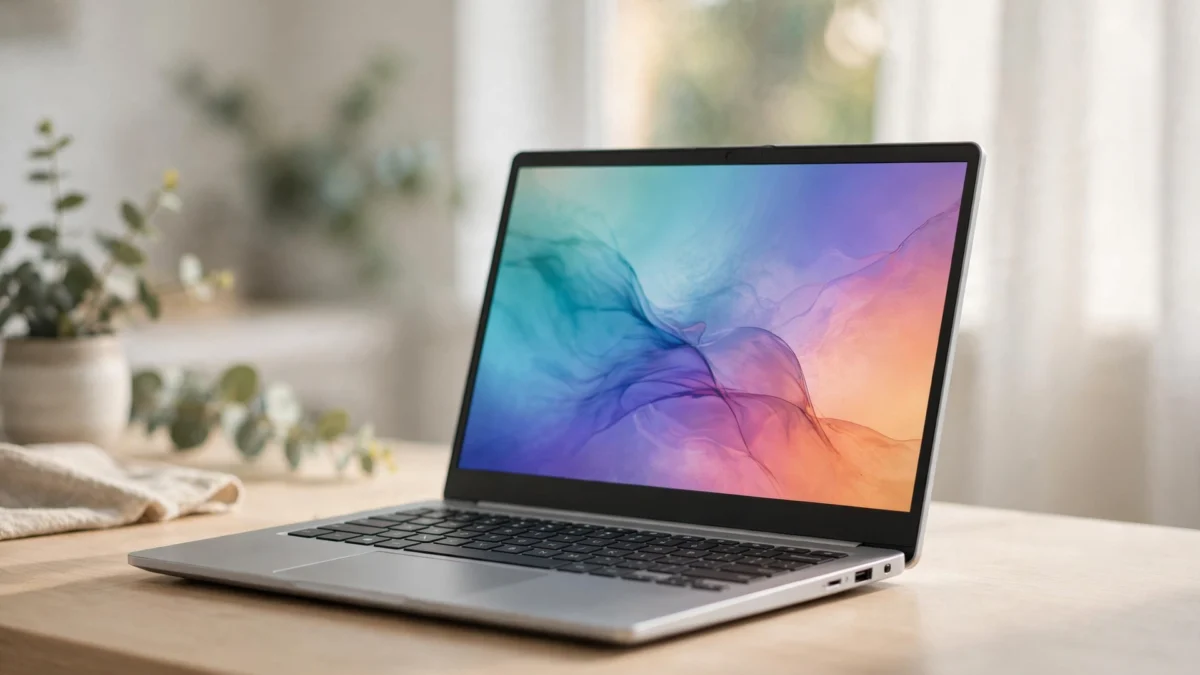
12 Best Chromebooks in 2026 (Honest Picks for Work, School & Everyday Use)
Shopping for the best Chromebooks in 2026 is confusing in a way it wasn’t two years ago. Google just confirmed ChromeOS gets platform updates only through mid-2034, brand-new Googlebook laptops hit shelves this month starting at $899, and store shelves are full of “new” Chromebooks whose update clocks started ticking years ago.
This guide cuts through all of it. Below you’ll find 12 genuinely good Chromebooks for 2026 — each with an honest catch, a clear “who should buy it,” and a “who should skip it.” No fake lab-test claims: this is a research synthesis built from spec sheets, update policies, and dozens of professional reviews, organized around the questions real buyers actually ask.
Quick Picks: The Best Chromebooks in 2026 at a Glance
- Best overall: Acer Chromebook Plus Spin 514 — fast, durable 2-in-1 that does everything well
- Best value: Acer Chromebook Plus 514 — Chromebook Plus specs without the premium price
- Best premium display: Lenovo Chromebook Plus 14 — gorgeous OLED for movie lovers
- Best budget pick: HP Chromebook 14 — 8GB RAM under $300, the smart cheap buy
- Best budget 2-in-1: ASUS Chromebook Flip CX1 — convertible versatility on a budget
- Best for students: HP Chromebook x360 14b — tough, long battery, classroom-proof
If you’re torn between ChromeOS and Windows, our guide to the best budget laptops under $500 covers the Windows side of the decision. For everyone else, read on.
Should You Buy a Chromebook Now — or Wait for Googlebook?
This is the question nobody else in the “best Chromebooks 2026” results is answering, so let’s handle it first. In September 2026, Google confirmed two big things: ChromeOS as a platform gets updates through mid-2034, and its Android-first successor, Googlebook OS, is now real — the first retail Googlebook laptops went on sale October 4, 2026, priced from $899 to $1,299.
Here’s the practical takeaway:
- Googlebook and Chromebooks aren’t competing for the same buyer. Googlebooks start at $899 — premium Windows-laptop territory. The best Chromebooks in 2026 cost $289–$699. If your budget is under $700, Googlebook isn’t an option anyway.
- Chromebooks aren’t being abandoned. Google is legally committed to supporting sold Chromebooks for up to 10 years from their platform date, and many current models will be eligible to migrate to the Googlebook experience later.
- The migration candidates are Chromebook Plus models with modern chips (Intel Core Ultra, 13th-gen Core, MediaTek Kompanio Ultra) and 8–16GB of RAM. If future-proofing matters to you, that’s another reason to buy a Plus-certified model from the list below rather than a bare-bones $200 special.
Bottom line: don’t wait. A good Chromebook bought today will be supported for the better part of a decade, and the Googlebook transition — if it happens for your model — is a bonus, not a requirement.
The AUE-Date Trap: Read This Before You Buy Any Chromebook
Here’s the single most important thing to know when shopping for the best Chromebooks in 2026, and almost no roundup explains it: Google’s 10-year update clock starts when the chip platform is certified — not when you buy the laptop.
That means a “brand new” Chromebook built on a platform certified in 2022 inherits only the remaining update window — roughly 6 years, not 10. Two listings can both say “new,” and one can quietly give you four fewer years of security updates.
How to protect yourself:
- Check the Auto Update Expiration (AUE) date before buying. Google publishes AUE dates for every model. On a Chromebook you own: Settings > About ChromeOS > Additional details.
- Divide price by remaining update years. A $289 Chromebook with 9 years of updates left costs ~$32/year. A $199 clearance model with 4 years left costs ~$50/year — the “cheaper” laptop is actually more expensive. (More on this math below.)
- Favor recently launched platforms. Some Chromebooks released in 2026 carry AUE dates into 2035. Older education models being cleared out do not.
Chromebook Plus, Decoded: What the Badge Actually Guarantees
You’ll see “Chromebook Plus” on half the picks below. It’s not marketing fluff — it’s Google’s certification that a Chromebook meets minimum hardware standards. In 2026, the badge guarantees:
- 8GB of RAM or more (the single biggest predictor of whether a Chromebook still feels fast in 3 years)
- 128GB+ storage (usually faster UFS or SSD, not sluggish eMMC)
- A 1080p+ webcam with decent low-light performance
- A modern processor: Intel Core i3 12th-gen or newer, AMD Ryzen 3 7000 series or newer, or equivalent MediaTek Kompanio silicon
- A 1080p+ IPS display
- Built-in AI features (Help me write, Magic Editor in Photos, Gemini integration)
If you remember one rule from this guide, make it this: at $350+, only buy Chromebook Plus models. Below that, 8GB of RAM matters more than the badge.
Chromebook vs. Cheap Windows Laptop: The 60-Second Decision
Not sure ChromeOS is even right for you? Run through this:
- Get a Chromebook if: your life is in a browser, Google Docs, Gmail, YouTube, Netflix, and video calls; you want something that boots in seconds, updates itself, and basically can’t get viruses; you’re buying for kids, students, or grandparents.
- Get a Windows laptop if: you need specific desktop software (full Photoshop, CAD, many Steam games, iTunes, proprietary work apps); you do serious offline work; you need to print to finicky office printers regularly.
Chromebooks run Android apps and Linux apps too, which covers a surprising amount of middle ground — but they can’t run Windows programs, full stop. If that sentence made you nervous, go Windows.
The 12 Best Chromebooks in 2026: Full Comparison Table
| Chromebook | Best For | Key Specs | Street Price |
|---|---|---|---|
| Acer Chromebook Plus Spin 514 | Best overall | i5-1334U, 8GB, 512GB SSD, 14″ WUXGA touch 2-in-1 | ~$599 |
| ASUS Chromebook Plus CX34 | Best runner-up | Core i5, 8GB RAM, 14″ FHD | ~$485 |
| Lenovo Chromebook Plus 14 | Best display | Kompanio Ultra 910, 16GB, 14″ OLED touch | ~$699 |
| Acer Chromebook Plus 514 | Best value | i3-N355, 8GB, 512GB SSD, 14″ WUXGA touch | ~$459 |
| HP Chromebook 14 | Best budget | Intel N100, 8GB, 128GB UFS, 14″ HD | ~$289 |
| ASUS Chromebook Flip CX1 | Best budget 2-in-1 | Celeron N4500, 8GB, 14″ FHD touch convertible | ~$372 |
| Samsung Galaxy Chromebook Plus | Best big screen | Core 3 100U, 15.6″ AMOLED | ~$549 |
| Lenovo IdeaPad Slim 3 Chromebook | Best everyday | Kompanio 520, 14″ FHD | ~$329 |
| Acer Chromebook Spin 714 | Best 2-in-1 alternative | Core i5, 8GB RAM, 14″ touch convertible | ~$529 |
| Lenovo Chromebook Duet (2026) | Best detachable | Kompanio 838, 10.95″ detachable 2-in-1 | ~$379 |
| HP Chromebook x360 14b | Best for students | Intel N100/N200, convertible, long battery | ~$349 |
| ASUS Chromebook CX15 | Cheapest big screen | Celeron N4500, 15.6″ FHD | ~$320 |
Prices are typical US street prices as of October 2026 and move with sales — holiday discounts from late November routinely knock 15–35% off these figures.

1. Acer Chromebook Plus Spin 514 — Best Overall Chromebook in 2026
The Spin 514 is the Chromebook we’d buy with our own money. The 10-core Intel i5-1334U chews through 20+ Chrome tabs, Google Docs, and Zoom calls without breaking a sweat, 8GB of DDR5 keeps multitasking smooth, and the 512GB SSD is double what most competitors offer at this price. The 360-degree hinge flips into tent and tablet modes, and the 14-inch WUXGA touchscreen is noticeably sharper than standard 1080p panels.
The honest catch: at ~$599 it’s real money, and at 3.3 pounds it’s a bit hefty to hold in tablet mode for long. Speakers are merely okay — fine for calls, thin for movies.
Who should buy it: remote workers, teachers, and power users who want one machine that handles everything. Families sharing a single device will love the versatility.
Who should skip it: strict budget shoppers who live in Gmail and YouTube — you’re paying for headroom you’ll never use.
2. ASUS Chromebook Plus CX34 — Best Runner-Up
If the Spin 514 is sold out or you prefer a traditional clamshell, the CX34 is the next-best all-rounder among the best Chromebooks in 2026. The Core i5 delivers the same class of snappy performance, the keyboard is genuinely pleasant to type on all day, and the port selection (USB-C, USB-A, HDMI, headphone jack) means no dongle life.
The honest catch: battery life is merely okay at around 10–11 hours real-world — several rivals last longer. The 16:9 display feels a little cramped next to taller 16:10 panels.
Who should buy it: anyone who wants a no-fuss workhorse with great connectivity for docking at a desk.
Who should skip it: frequent travelers who need every last hour of battery; look at the Lenovo Plus 14 instead.

3. Lenovo Chromebook Plus 14 — Best Display on Any Chromebook
This is the pretty one. The 14-inch 1920×1200 OLED touchscreen makes everything — movies, photos, even spreadsheets — look dramatically better than on any LCD Chromebook. The MediaTek Kompanio Ultra 910 with its onboard NPU keeps things snappy and fanless-silent, 16GB of RAM is overkill in the best way, and the 2.78-pound aluminum chassis feels premium.
The honest catch: ~$699 pushes into Windows-laptop territory, where you can get a faster machine (though with worse battery life and more maintenance). The tiny function keys are hard to read.
Who should buy it: media lovers, students who watch a lot of video, anyone who stares at a screen all day and wants the nicest panel available.
Who should skip it: budget-focused buyers — the Acer Plus 514 gives you 80% of the experience for $240 less.

4. Acer Chromebook Plus 514 — Best Value Chromebook
The sweet spot of the entire roundup. You get genuine Chromebook Plus certification — 8-core i3-N355, 8GB LPDDR5X, 512GB SSD, 14-inch touchscreen — plus MIL-STD 810H durability, for around $459 street. It handles real multitasking (spreadsheets + video calls + streaming simultaneously) without the stutter that plagues cheaper machines.
The honest catch: the 300-nit screen is fine indoors but washes out in bright sunlight. Some units ship through third-party sellers, so check the seller rating.
Who should buy it: students, teachers, and small-business owners who want durability and speed without paying $600.
Who should skip it: anyone who needs a 2-in-1 hinge — this is clamshell only.
5. HP Chromebook 14 — Best Budget Chromebook Under $300
The smart cheap buy. At ~$289 you get the two things that actually matter at this price: 8GB of RAM (most sub-$300 Chromebooks still ship 4GB, which chokes on modern tab counts) and faster UFS storage instead of sluggish eMMC. Battery life is excellent, the 3.2-pound chassis is easy to carry, and Wi-Fi 6E keeps it current.
The honest catch: the 1366×768 non-touch display is visibly coarse next to 1080p panels. No backlit keyboard, limited ports, quiet speakers.
Who should buy it: kids, grandparents, and anyone whose computing life is email, browsing, and streaming. The perfect second laptop.
Who should skip it: anyone who does serious reading or document work on-screen — the low-res panel will grate. Stretch to the Lenovo Slim 3.
6. ASUS Chromebook Flip CX1 — Best Budget 2-in-1 Chromebook
The cheapest credible convertible among the best Chromebooks in 2026. The 360-degree hinge is smooth and holds position in tent, stand, and tablet modes; the 14-inch FHD touchscreen has slim bezels that look far more expensive than $372; and MIL-STD 810H durability means it survives backpacks. Battery stretches to about 10 hours of streaming.
The honest catch: the Celeron N4500 shows its age past ~15 tabs or with several Android apps open. No backlit keyboard. eMMC storage is slower than SSD.
Who should buy it: students who take notes in tablet mode and anyone who wants convertible flexibility under $400.
Who should skip it: heavy multitaskers and dim-room typists — the Spin 514 is worth the stretch.

7. Samsung Galaxy Chromebook Plus — Best Big-Screen Chromebook
For anyone who finds 14 inches cramped: a 15.6-inch AMOLED display on a Chromebook is still rare, and Samsung’s panel is stunning — inky blacks, punchy color, easy on the eyes for long sessions. The Intel Core 3 100U keeps everyday work fluid, and at just over 2.5 pounds it’s remarkably light for its size.
The honest catch: big screen means big footprint — it won’t fit smaller bags comfortably, and battery life is average (~10 hours) given the large glowing panel it has to feed.
Who should buy it: spreadsheet warriors, multitaskers who live in split-screen, and anyone replacing an old 15-inch Windows laptop.
Who should skip it: commuters and students who carry their laptop all day — 14 inches is the portability sweet spot.
8. Lenovo IdeaPad Slim 3 Chromebook — Best Everyday Chromebook
The “just right” pick for undemanding users who still want a decent screen. The MediaTek Kompanio 520 sips power, the 14-inch FHD IPS panel is a big step up from the budget HD screens, and Lenovo’s keyboards are consistently among the best in the business. Usually around $329 street.
The honest catch: 4GB RAM on base configurations — spend the extra $30–$50 for the 8GB version or you’ll feel it in year two. Speakers are thin.
Who should buy it: casual home users who browse, shop, stream, and video-chat. A great gift laptop.
Who should skip it: tab hoarders — get the 8GB version or step up to the Acer Plus 514.

9. Acer Chromebook Spin 714 — Best Premium 2-in-1 Alternative
A step up from the Flip CX1 for people who want convertible versatility with real performance: Core i5 power, 8GB RAM, a bright 14-inch touchscreen, and the usual Acer 2-in-1 solidity. It’s the convertible I’d hand to a teacher or a mobile professional.
The honest catch: at ~$529 it sits close to the Spin 514, which most buyers will prefer for the newer chip and bigger SSD. Only pick the 714 if you find it on sale below $500.
Who should buy it: presenters and note-takers who want premium 2-in-1 feel, especially at sale prices.
Who should skip it: anyone paying full price — the Spin 514 is the better buy at MSRP.
10. Lenovo Chromebook Duet (2026) — Best Detachable Chromebook
Sometimes you want a tablet first and a laptop second. The Duet’s 10.95-inch detachable design with the Kompanio 838 is the only credible ChromeOS answer — great for reading, kids’ schoolwork, travel entertainment, and couch browsing, with a keyboard cover when typing is needed.
The honest catch: the included keyboard is cramped for long typing sessions, and the small screen is no good as a primary work machine. Performance is fine for media, modest for multitasking.
Who should buy it: travelers, kids, and couch users who want a big-screen tablet that can type when asked.
Who should skip it: anyone who types more than an hour a day — get a real laptop instead.
11. HP Chromebook x360 14b — Best Chromebook for Students
Built for backpacks: convertible hinge for note-taking, all-day battery (HP claims up to 13 hours), durable construction that shrugs off classroom chaos, and a price around $349 that won’t ruin a family budget if it gets dropped. The Intel N-series chips handle Google Classroom, Docs, and Meet simultaneously without drama.
The honest catch: the display and speakers are merely adequate — fine for schoolwork, unexciting for movies. 64GB eMMC on base models fills up; prefer 128GB.
Who should buy it: parents buying for school-age kids, and students who need something rugged and affordable.
Who should skip it: college students doing heavier creative work — the Acer Plus 514 is worth the step up.
12. ASUS Chromebook CX15 — Cheapest Big-Screen Chromebook
The value play for screen-size lovers: a 15.6-inch 1080p display and roomy keyboard for around $320 street — sometimes under $200 on deep sale. For web browsing and YouTube on a big, comfortable screen, nothing touches it per dollar.
The honest catch: the Celeron N4500 and 4GB RAM are the bare minimum; expect lag with heavy multitasking. Short battery life for a Chromebook (~8–9 hours). Check the AUE date carefully on clearance units.
Who should buy it: grandparents and casual users who want the biggest, simplest screen for the least money.
Who should skip it: anyone who keeps more than a handful of tabs open — the HP Chromebook 14’s 8GB RAM is the smarter cheap buy.

Chromebook Buying Guide: The 5 Specs That Actually Matter
1. RAM: 8GB is the real minimum
ChromeOS is light, but modern web apps aren’t. 4GB Chromebooks feel fine on day one and sluggish by year two as tabs and Android apps pile on. At $300+, refuse anything with 4GB. This one spec predicts long-term satisfaction better than the processor name.
2. Storage type beats storage size
128GB of fast UFS or SSD beats 256GB of slow eMMC for everyday responsiveness — app launches, file saves, and updates all feel snappier. You won’t fill 128GB on ChromeOS anyway; your files live in Google Drive.
3. Display: 1080p IPS or better
The difference between a $250 Chromebook with a 1366×768 TN panel and a $330 one with 1080p IPS is the difference between eye strain and comfort. If you read or work on-screen for hours, this is where your money goes. OLED (Lenovo Plus 14, Samsung Galaxy Chromebook Plus) is a genuine luxury upgrade.
4. Battery: ignore the headline number, check the use case
Manufacturers quote video-playback battery life; real mixed use is 70–80% of the claim. For all-day school or travel, target models rated 12+ hours (real ~9–10). For desk-adjacent use, 8 rated hours is plenty.
5. AUE date: the hidden spec
As explained above: check Settings > About ChromeOS > Additional details (or Google’s published list before buying). A 2026 purchase should carry updates into at least 2032 — if it doesn’t, the “deal” is a trap.
If your current machine is just slow rather than dying, our guide to how to speed up a slow laptop might buy you another year before you need to spend anything.
The Real Price: Cost Per Supported Year
Sticker prices lie. The number that matters is price ÷ remaining update years:
- HP Chromebook 14 at $289 with ~9 years of updates: ~$32/year — the true budget champion.
- Acer Chromebook Plus 514 at $459 with ~9 years: ~$51/year for a dramatically better machine.
- Clearance $199 Chromebook with 4 years of updates left: ~$50/year — worse value than the HP despite the lower sticker.
- Lenovo Chromebook Plus 14 at $699 with ~9 years: ~$78/year — premium, but cheaper per year than most $1,000 Windows laptops replaced every 4 years (~$250/year).
Run this math on any deal that looks too good to be true. It usually is.
What About the AI Features?
Chromebook Plus models ship with Google’s AI toolkit: Help Me Write, Magic Editor in Google Photos, Gemini integration, and AI wallpapers. They’re genuinely useful — Help Me Write alone rescues awkward emails daily. If you want to go deeper, our roundup of the best free AI tools in 2026 pairs perfectly with a new Chromebook, since most of them run entirely in the browser.
Frequently Asked Questions
What is the best Chromebook in 2026?
For most people, the Acer Chromebook Plus Spin 514 — it combines a fast i5 processor, 8GB RAM, 512GB SSD, and a versatile 2-in-1 design at around $599. Budget shoppers should get the HP Chromebook 14 (~$289); display lovers should get the Lenovo Chromebook Plus 14 (~$699).
How long do Chromebooks get updates?
Up to 10 years from the chip platform’s certification date — but the clock starts at certification, not purchase. Google has also confirmed the ChromeOS platform as a whole receives updates through mid-2034. Always check the specific model’s AUE date before buying.
Should I wait for Googlebook instead of buying a Chromebook?
Probably not. Googlebook laptops start at $899 — a different market from $289–$699 Chromebooks. If your budget is under $700, Googlebook isn’t an option, and current Chromebook Plus models are the most likely candidates for any future migration path anyway.
Is 4GB RAM enough on a Chromebook?
In 2026, no — not for a machine you plan to keep. 4GB feels okay on day one and sluggish by year two. Make 8GB your minimum; it’s the cheapest longevity insurance in tech.
Do Chromebooks work offline?
Partially. Gmail, Docs, and many Android apps support offline modes, and downloaded Netflix/YouTube content plays fine. But a Chromebook with no internet is a diminished machine — if you regularly work somewhere without Wi-Fi, plan accordingly (phone tethering works well).
What’s the difference between Chromebook and Chromebook Plus?
Chromebook Plus is Google’s certification guaranteeing minimum specs: 8GB+ RAM, 128GB+ storage, 1080p+ webcam, a modern processor, and a 1080p+ IPS display, plus built-in AI features. Above ~$350, only buy Plus-certified models.
Are cheap Chromebooks under $200 worth it?
Rarely. Most hide a 4GB RAM / slow eMMC combo and, critically, older platforms with short remaining update windows. The HP Chromebook 14 at ~$289 is a far better value once you do the cost-per-supported-year math.
Can Chromebooks run Microsoft Office?
Yes — via the web apps (free) or Android apps. The web versions cover ~95% of what most people do in Word, Excel, and PowerPoint. Heavy Excel macro users should stick with Windows.
Which Chromebook is best for students?
The HP Chromebook x360 14b (~$349): convertible for note-taking, all-day battery, and durable enough for backpacks. For college students doing heavier work, step up to the Acer Chromebook Plus 514.
Methodology: How We Picked These
An honest note on how this guide was built: we did not purchase and lab-test twelve laptops. Instead, this is a research synthesis — we tore down the top-ranking Chromebook roundups (PCWorld, thirstybear, chromebookbase, laptopoutlet, and others), cross-checked every pick’s specs against manufacturer pages, verified update policies against Google’s published AUE data and September 2026 support announcements, and filtered for models real buyers can actually purchase at sane street prices in October 2026.
Where we cite performance or battery claims, they come from the linked professional reviews, not our own benches. Prices are typical US street prices and move with sales — verify before you buy. Our goal wasn’t to out-test the big labs; it was to out-explain them: the AUE trap, the Googlebook question, and the cost-per-year math are the things that actually determine whether you’ll be happy with your Chromebook in 2029.
Building a full setup around your new Chromebook? Pair it with one of the best budget phones under $300 for Chromebook Phone Hub features, and see our best smart home gadgets if you’re kitting out a home office to go with it.


1 response